
Tuyệt vời! Dưới đây là bài giới thiệu về BetterTouchTool dành cho người dùng macOS, tập trung vào khả năng tùy chỉnh chuột và bàn di, với các biểu tượng sinh động:
## BetterTouchTool MacOs: Tùy chỉnh chuột, bàn di không giới hạn 🚀
Bạn đang tìm kiếm một công cụ mạnh mẽ để biến trải nghiệm sử dụng chuột 🖱️ và bàn di chuột 👆 trên MacBook của mình trở nên độc đáo và hiệu quả hơn? BetterTouchTool chính là giải pháp! Phần mềm này mang đến khả năng tùy chỉnh gần như vô hạn, cho phép bạn gán các hành động tùy chỉnh, cử chỉ phức tạp và phím tắt cho mọi thiết bị nhập liệu của mình. 🌟
Với BetterTouchTool, bạn có thể tạo ra các cử chỉ hoàn toàn mới cho Magic Trackpad, tùy chỉnh các nút chuột gaming 🎮, hay thậm chí là điều khiển các ứng dụng bằng Apple Remote. Khả năng cá nhân hóa này giúp tối ưu hóa quy trình làm việc 📈, tăng tốc độ thao tác và mang lại sự thoải mái tối đa cho người dùng cá nhân. ✨
Để cài đặt BetterTouchTool, bạn cần đảm bảo thiết bị Mac của mình đang chạy **macOS 10.12 (Sierra) trở lên** 🍎. Về cấu hình tối thiểu, phần mềm yêu cầu một bộ xử lý Intel hoặc Apple Silicon 💻, tối thiểu **4GB RAM** 💾 và đủ dung lượng ổ cứng trống để cài đặt. ⚙️
Hãy khám phá và khai phá tiềm năng chưa từng có của chuột và bàn di chuột trên Mac của bạn ngay hôm nay! 🎉💯
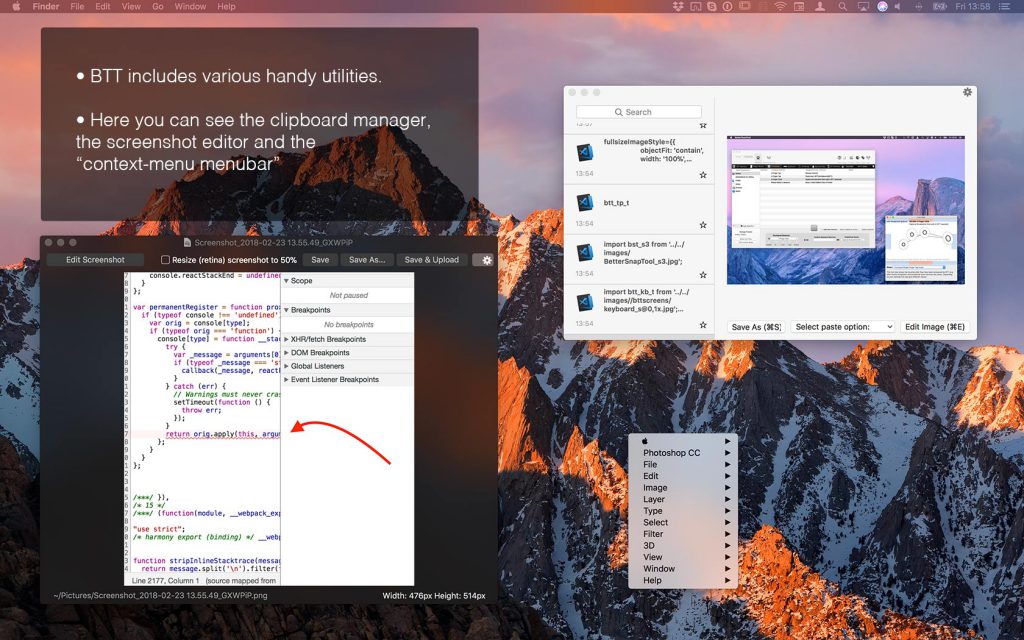
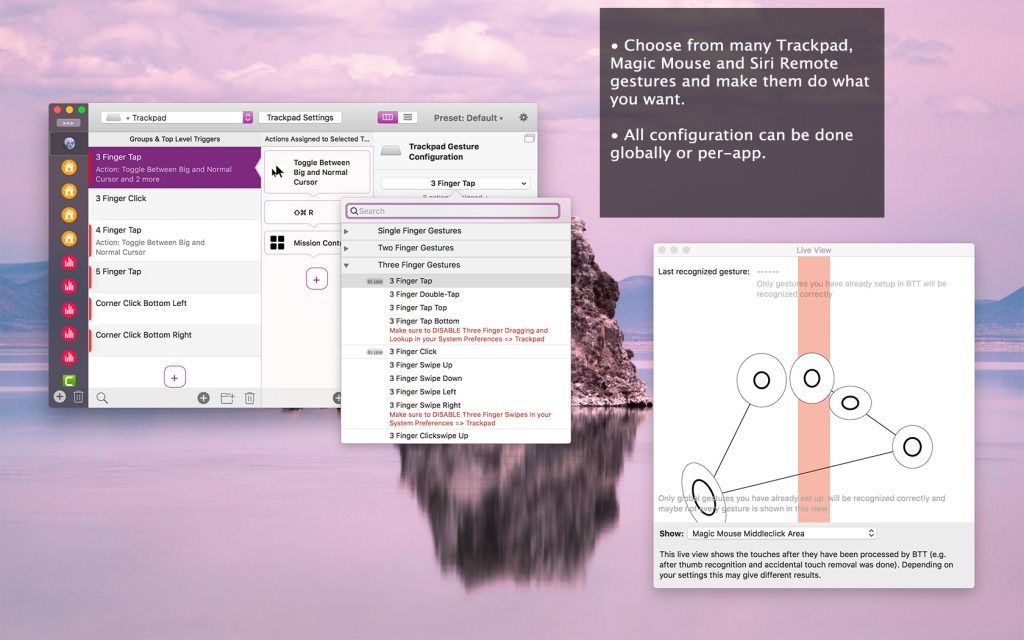
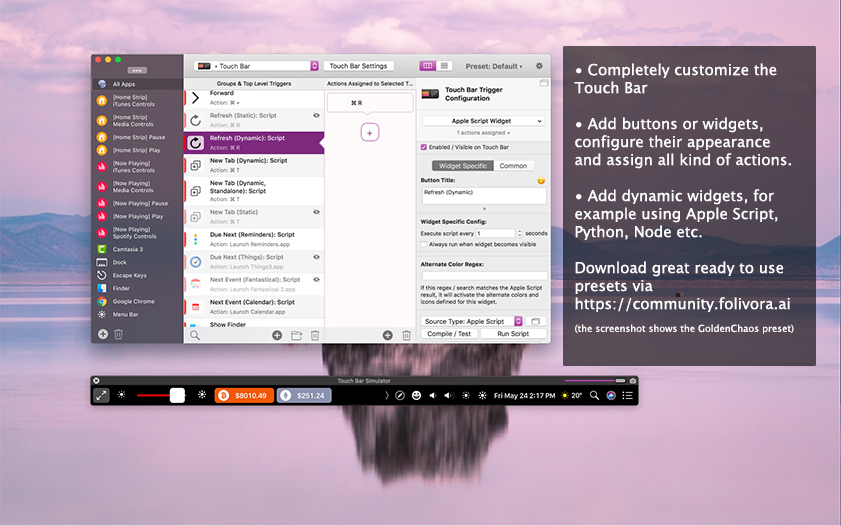
BetterTouchTool giúp thêm nhiều chức năng cho Magic Mouse, Trackpad trên Macbook và Magic Trackpad và nhiều tính năng khác với Touchbar…
Magic Mouse:
Pinch in / out (zoom)
single-finger tap left
single-finger tap right
single-finger tap middle
single-finger tap
single-finger click middle
two-finger tap
two-finger click
two-finger swipe (up/down/left/right)
two-finger tip tap left/right
three-finger tap
three-finger click
three-finger swipe (up/down/left/right)
four-finger swipe up/down
four-finger click
TipTap left/right
Touchpad:
single-finger tap top-left
single-finger tap top-right
single-finger tap top-middle
single-finger tap bottom-left
single-finger tap bottom-right
single-finger tap bottom-middle
single-finger tap left-middle
single-finger tap right-middle
two-finger tip tap left/right
three-finger swipes (up/down/left/right)
three-finger tap
three-finger click
four-finger swipes (up/down/left/right)
four-finger tap
five-finger tap
five-finger swipe up/down/left/right (see FAQ)
TipTap
two-finger TipTap
three-finger TipTap

BetterTouchTool_v4_317
Bettertouchtool v4.443
BetterTouchTool 4.643 Fix
BetterTouchTool 4.664
BetterTouchTool_4_726
BetterTouchTool_4.733
BetterTouchTool_5_155
BetterTouchTool_5.308
BetterTouchTool 5.484
BetterTouchTool 5.632
Bettertouchtool v5.736
Lưu ý: App này cần tắt SIP để có thể chạy
Ai bị lỗi vụ cấp quyền thì mở terminal chạy thêm lệnh này
tccutil reset All com.hegenberg.BetterTouchTool
Sau đó thêm dòng này vào file host:v3.paddleapi.com hoặc có thể dùng radio silence, lulu… để chặn
Các bản cũ hơn
Chi tiết thay đổi trong các phiên bản: updates.folivora.ai/bettertouchtool_release_notes.html
Bản mới kéo vào Application là xài
Hướng dẫn thuốc bản cũ hơn
1. Kéo file vào Application để cài như bình thường
2. Mở app lên để chắc chắn rằng nó chạy được, thực hiện các thao tác cấp quyền để có thể mở app lên (cái này anh em tự làm nha)
3. Click đúp vào file M4G1C M1K3.bttlicense để kích hoạt.
Hướng dẫn cài bản 3.562.170
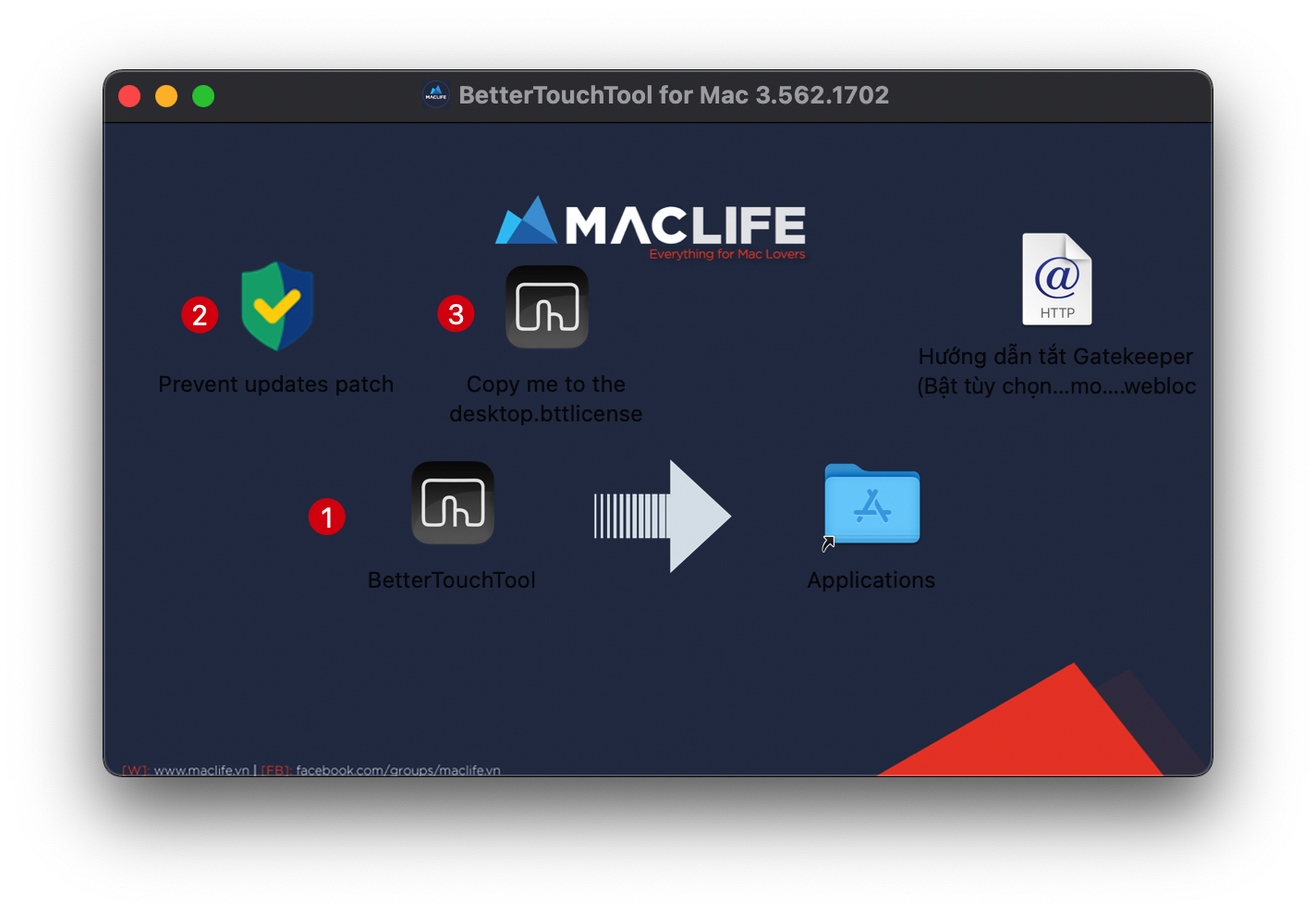
1. Kéo file Bettertouchtool vào Application để cài như bình thường
2. Chuột phải chọn Open để mở file Prevent updates patch, nhập mật khẩu để cho phép ghi nội dung vào file hosts [Nếu gặp lỗi thì search về tắt gatekeeper, xattr -cr trên Group hoặc web]
3. Chạy file copy me to the desktop.bttlicense
4. Chạy Bettertouchtool thử xem, nếu gặp yêu cầu update cứ nhấn đại 1 lần, sẽ ko update được và lần sau ko hỏi nữa.
Hướng dẫn cr4ck bản kèm file .lic
Cài & cấp quyền các thứ xong mở Bettertouchtool lên, Nhìn góc trên click BetterTouchTool>chọn Import License như hình. Sau đó chọn tới file Magic Mike.bttlicense kèm trong bộ cài là được.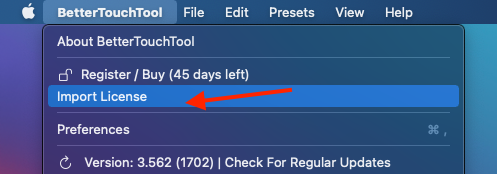
Lưu ý: Nếu bị nhả “thuốc” thì dùng Lulu chặn kết nối cho Bettertouchtool lại là được.
Các bản cũ hơn